

Loading...
🍪

En poursuivant votre navigation sur ce site, vous acceptez l'utilisation de Cookies qui garantissent son bon fonctionnement.

enEnglish
frFrench
esSpanish
zhChinese
jaJapanese
koKorean
hiHindi
deGerman
noNorwegian
Recherche article
Me connecter
Fleche top bulle Fleche top bulle
DE EN ES FR HI JA KO NO ZH
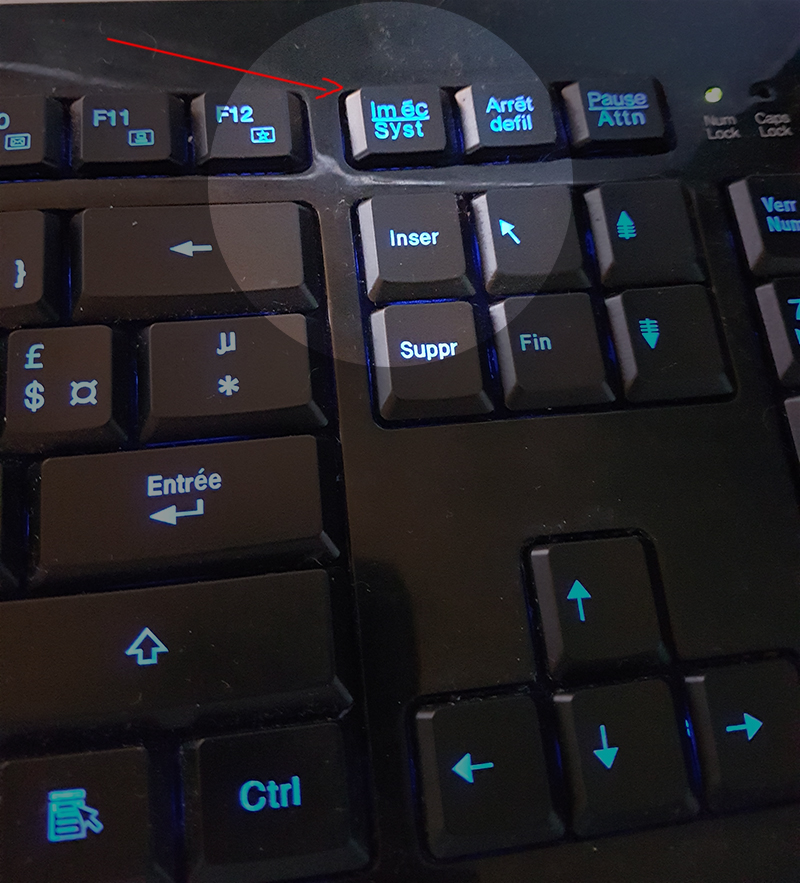
Print Screen key

Send a screen image with details in Photoshop

Publié le 03 Mai 2026

Tutorial level : Easy
Software : Photoshop
Version : All

Sometimes you need to send an image of your screen while pointing out elements or explaining something. This short tutorial is here to guide you through this fairly simple process.

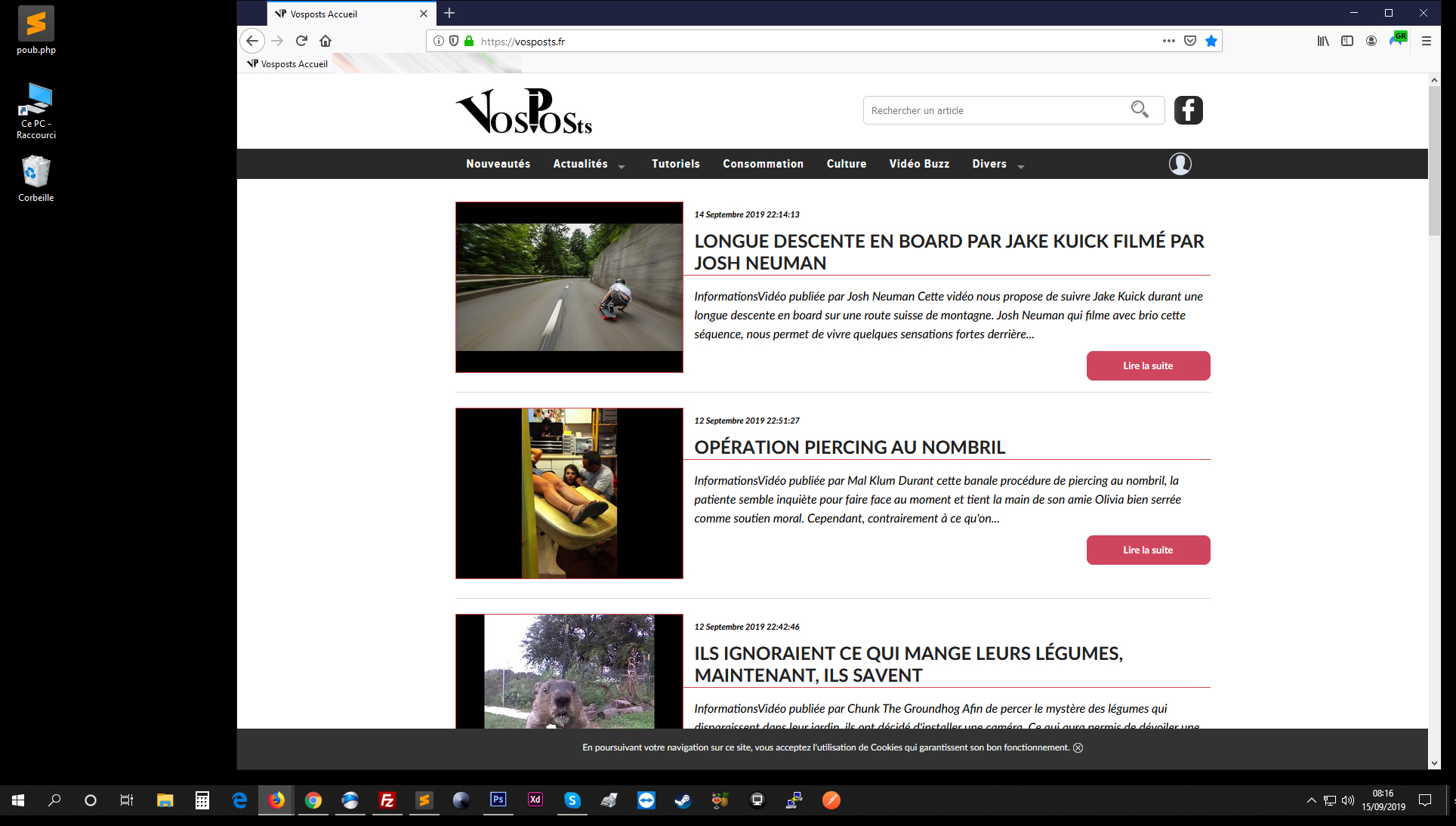
First, you need a PC or Mac, any version of Photoshop, and a keyboard with a Print Screen key. Arrange your screen to show what you want to capture.


La touche imprime écran


Nouveau document photoshop


Coller dans photoshop


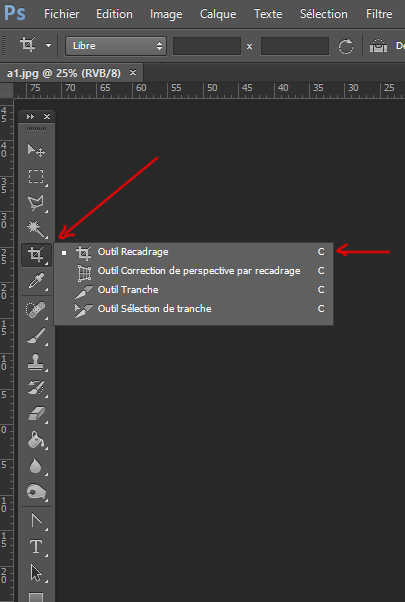
Outil de recadrage dans photoshop


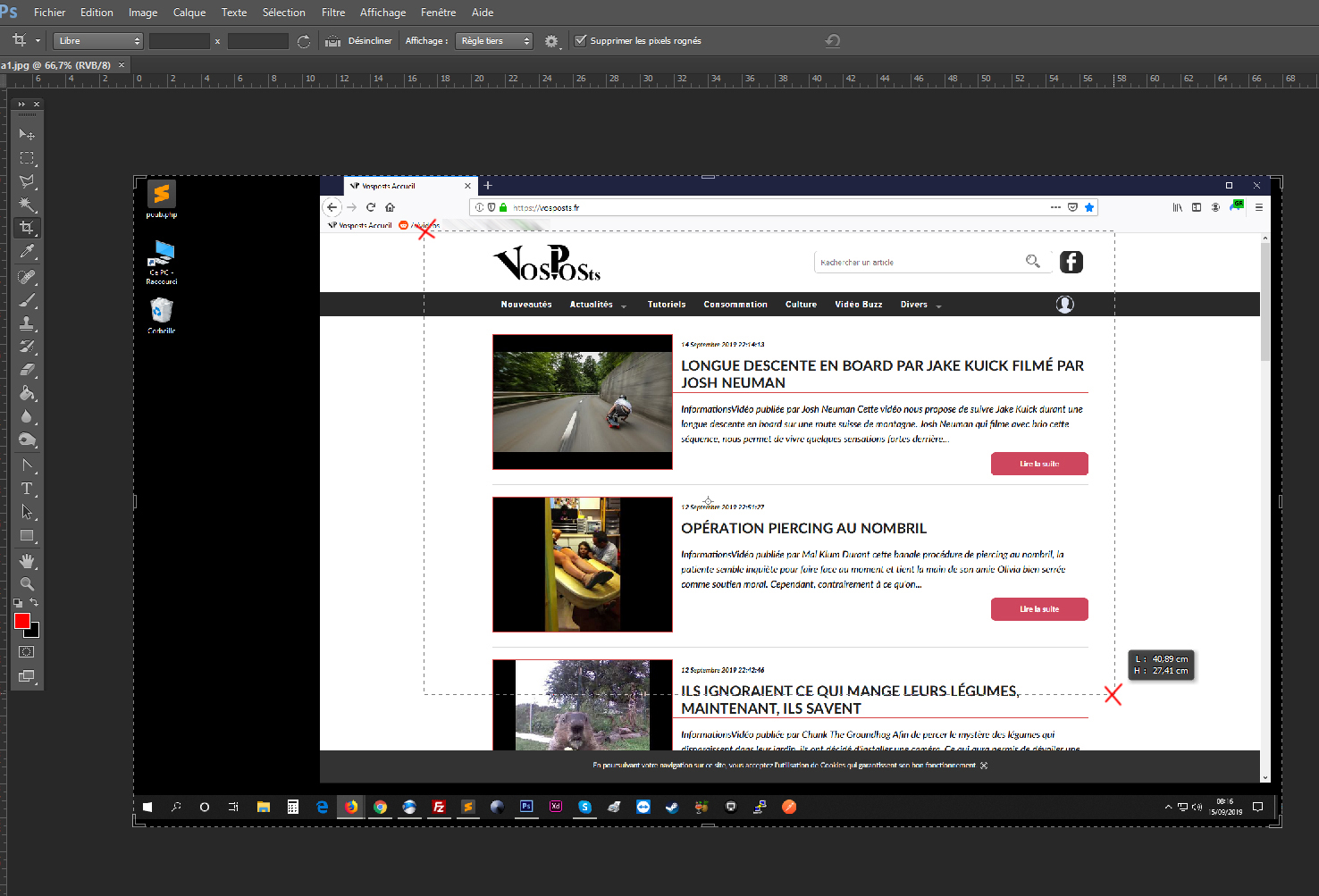
Action de recadrage dans photoshop


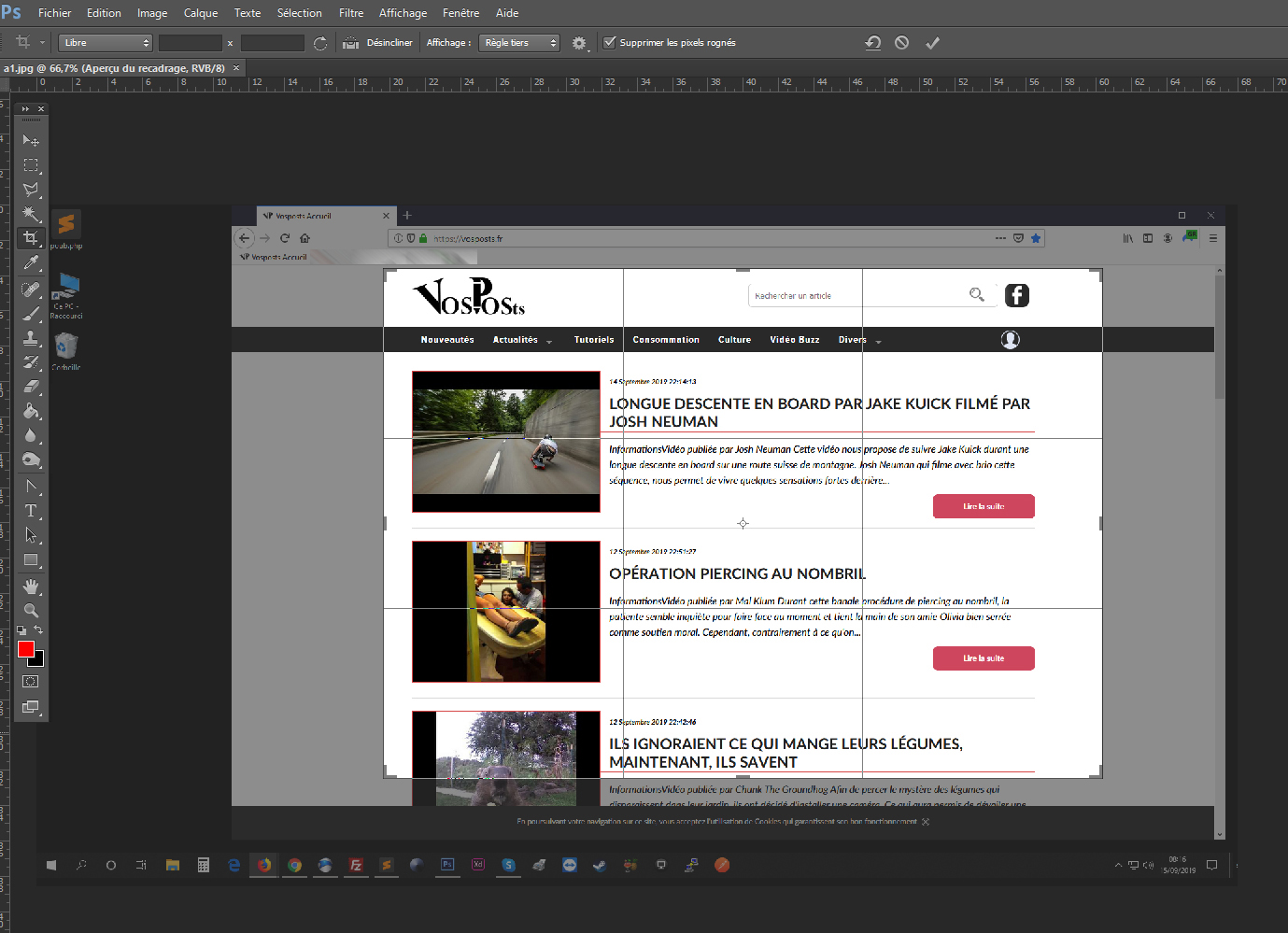
Valider un recadrage dans photoshop


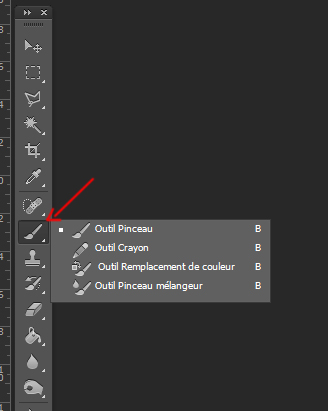
Outil pinceau dans photoshop


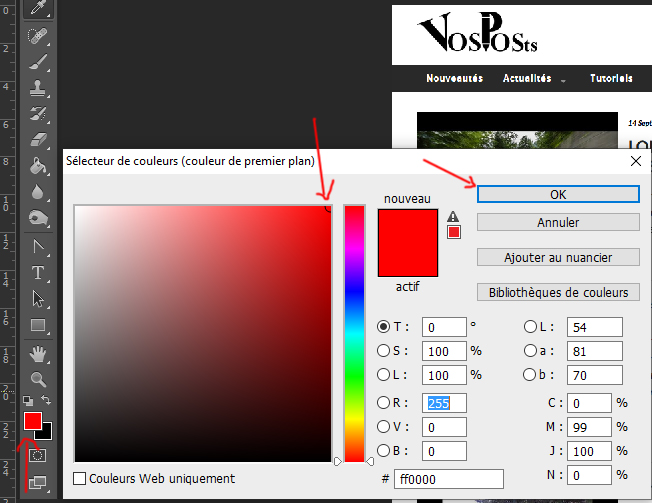
Sélection de couleur dans photoshop


]

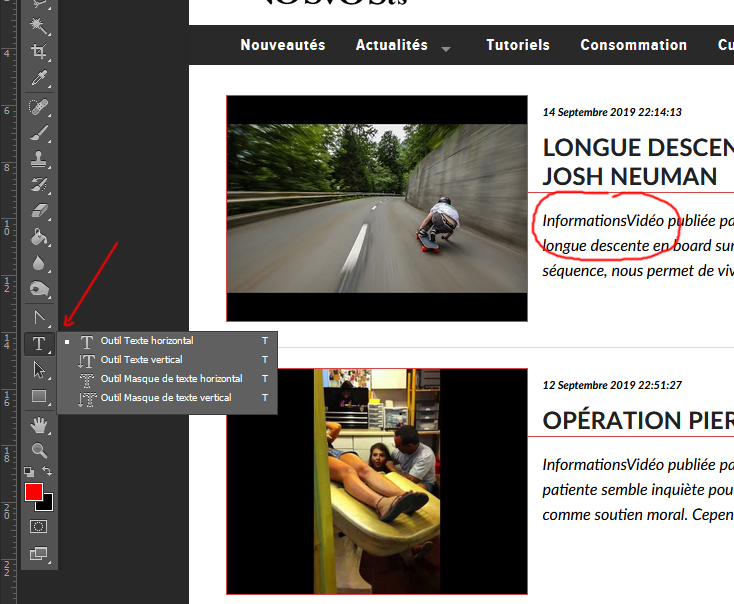
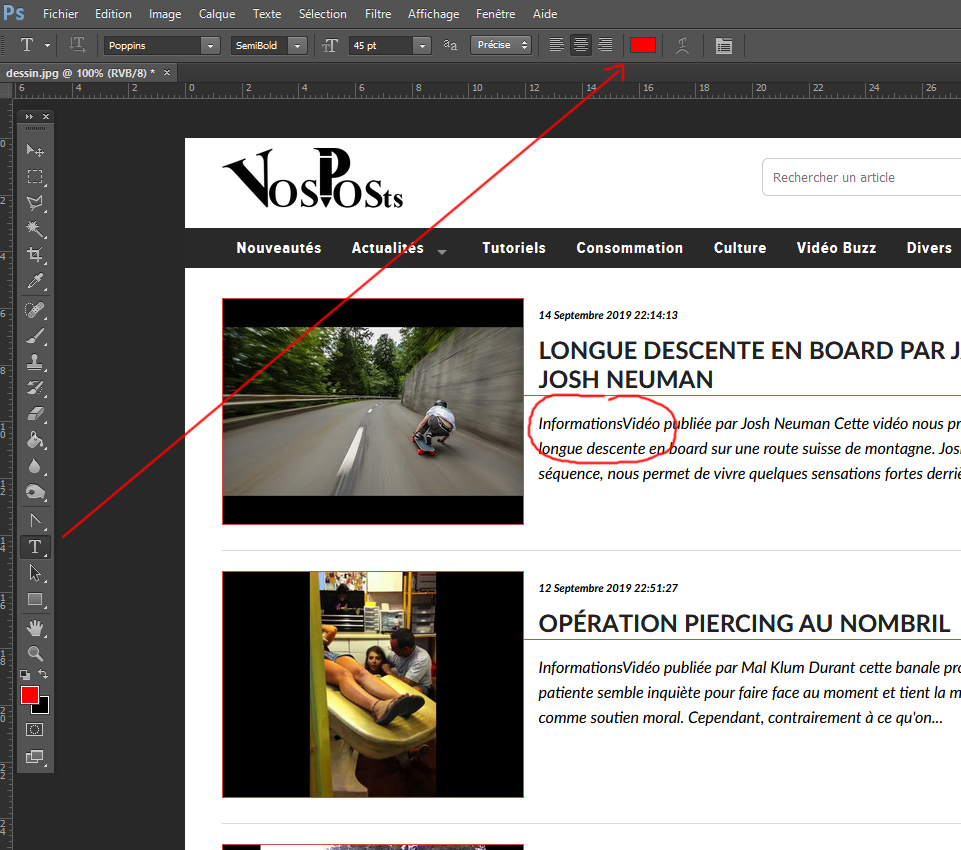
Ajouter du texte dans photoshop


Enregistrer sous dans photoshop


Enregistrer sous dans photoshop


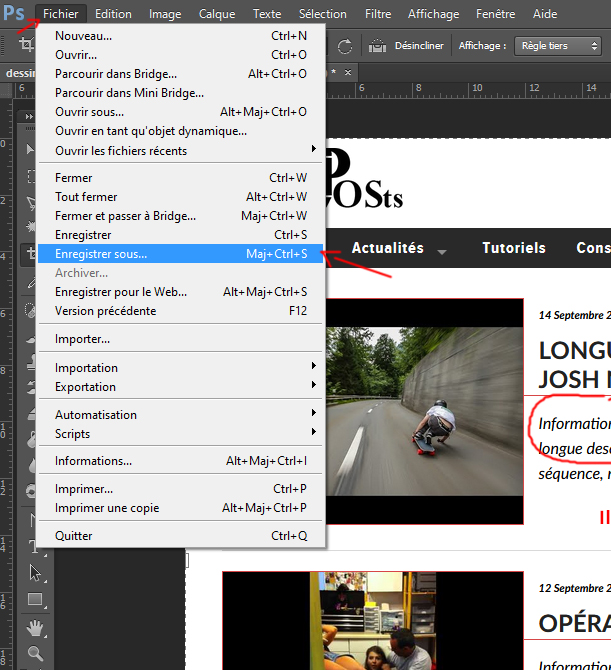
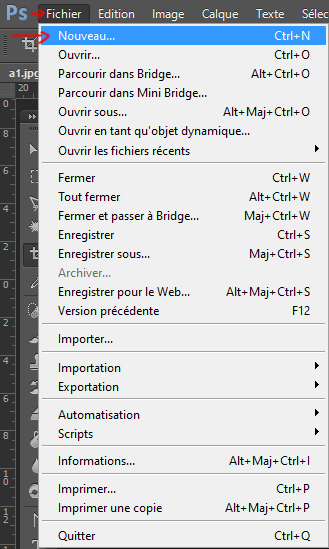
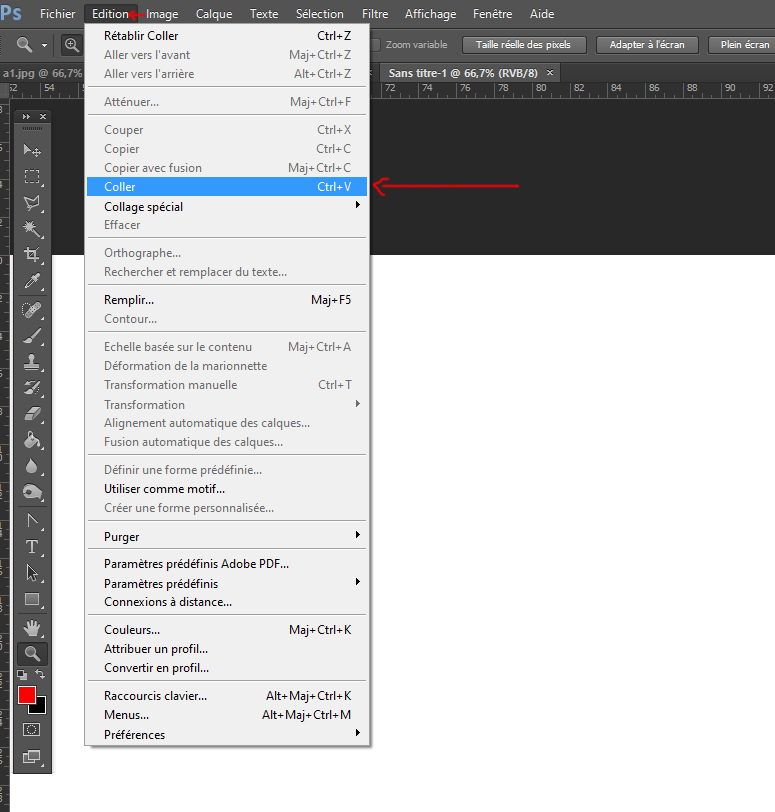
Then press the "Print Screen" key. The current image of your screen is copied into the computer memory, usually called the clipboard. In Photoshop, go to File > New or CTRL + N, then use Edit > Paste or CTRL + V.


Next, crop the part of the image you need with the "Crop" tool. Click and drag to define the area, then press "Enter" to validate.

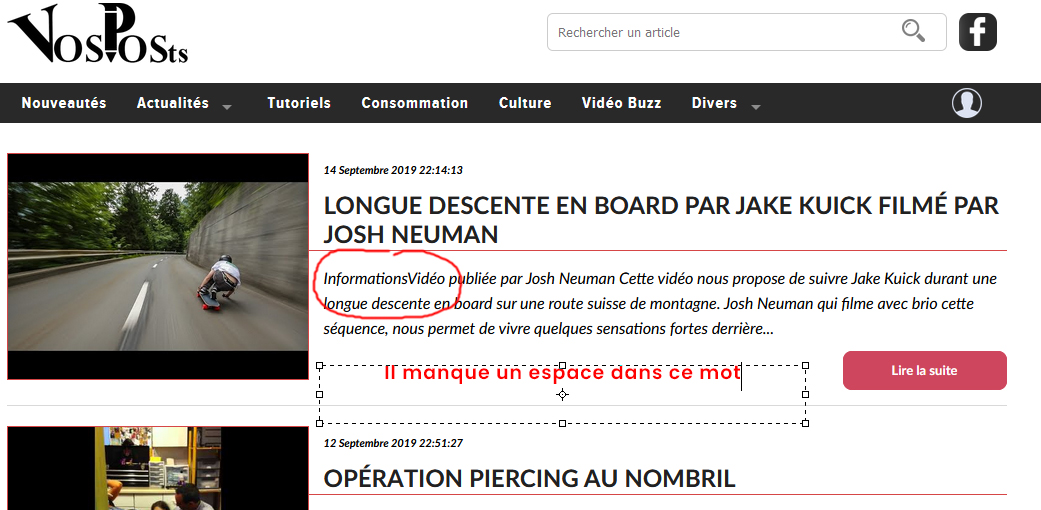
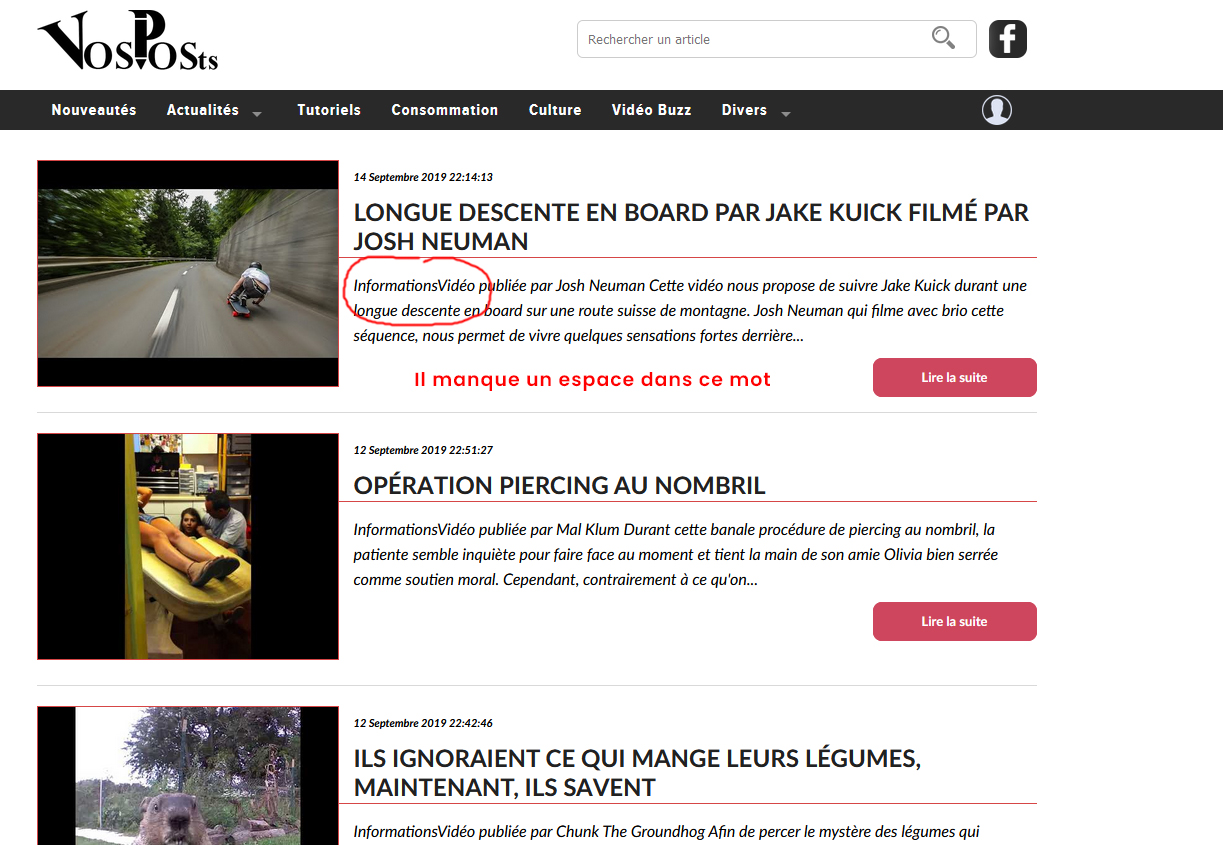
Finally, you can edit the image if needed, for example by using a red brush to point to an area or by adding text with the text tool.

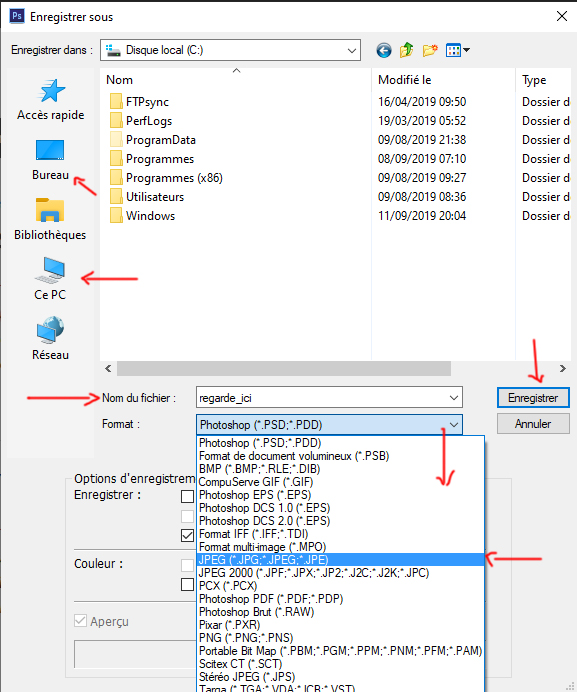
Now save the image so you can send it by email or another method. Go to File > Save as... or Shift + CTRL + S, choose a location, JPG format and a filename, then click "Save".


And there you go! It is relatively simple.


Tags
T7X45-985eeF781
Print Screen
screen image
Photoshop
tutorial
send a screen image
Envoyer à un ami
Signaler cet article
A propos de l'auteur
Print Screen key

Send a screen image with details in Photoshop

Publié le 03 Mai 2026

Tutorial level : Easy
Software : Photoshop
Version : All

Sometimes you need to send an image of your screen while pointing out elements or explaining something. This short tutorial is here to guide you through this fairly simple process.

First, you need a PC or Mac, any version of Photoshop, and a keyboard with a Print Screen key. Arrange your screen to show what you want to capture.


La touche imprime écran


Nouveau document photoshop


Coller dans photoshop


Outil de recadrage dans photoshop


Action de recadrage dans photoshop


Valider un recadrage dans photoshop


Outil pinceau dans photoshop


Sélection de couleur dans photoshop


]

Ajouter du texte dans photoshop


Enregistrer sous dans photoshop


Enregistrer sous dans photoshop


Then press the "Print Screen" key. The current image of your screen is copied into the computer memory, usually called the clipboard. In Photoshop, go to File > New or CTRL + N, then use Edit > Paste or CTRL + V.


Next, crop the part of the image you need with the "Crop" tool. Click and drag to define the area, then press "Enter" to validate.

Finally, you can edit the image if needed, for example by using a red brush to point to an area or by adding text with the text tool.

Now save the image so you can send it by email or another method. Go to File > Save as... or Shift + CTRL + S, choose a location, JPG format and a filename, then click "Save".


And there you go! It is relatively simple.


Tags
T7X45-985eeF781
Print Screen
screen image
Photoshop
tutorial
send a screen image
Envoyer à un ami
Signaler cet article
A propos de l'auteur
Print Screen key

Send a screen image with details in Photoshop

Publié le 03 Mai 2026

Tutorial level : Easy
Software : Photoshop
Version : All

Sometimes you need to send an image of your screen while pointing out elements or explaining something. This short tutorial is here to guide you through this fairly simple process.

First, you need a PC or Mac, any version of Photoshop, and a keyboard with a Print Screen key. Arrange your screen to show what you want to capture.


La touche imprime écran


Nouveau document photoshop


Coller dans photoshop


Outil de recadrage dans photoshop


Action de recadrage dans photoshop


Valider un recadrage dans photoshop


Outil pinceau dans photoshop


Sélection de couleur dans photoshop


]

Ajouter du texte dans photoshop


Enregistrer sous dans photoshop


Enregistrer sous dans photoshop


Then press the "Print Screen" key. The current image of your screen is copied into the computer memory, usually called the clipboard. In Photoshop, go to File > New or CTRL + N, then use Edit > Paste or CTRL + V.


Next, crop the part of the image you need with the "Crop" tool. Click and drag to define the area, then press "Enter" to validate.

Finally, you can edit the image if needed, for example by using a red brush to point to an area or by adding text with the text tool.

Now save the image so you can send it by email or another method. Go to File > Save as... or Shift + CTRL + S, choose a location, JPG format and a filename, then click "Save".


And there you go! It is relatively simple.


Tags
T7X45-985eeF781
Print Screen
screen image
Photoshop
tutorial
send a screen image
Envoyer à un ami
Signaler cet article
A propos de l'auteur